

AI for Poster and Flyer Design: A Comprehensive Guide
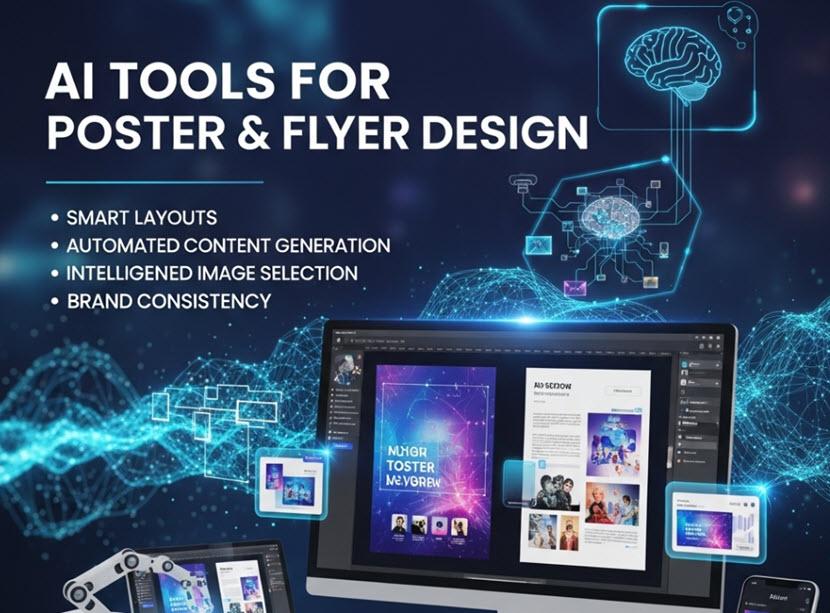
Visual communication cannot be forgotten in marketing, events, education, advocacy, and branding in the digital era. Posters and flyers are the most commonly used visual material, and developing professional, striking types of designs has traditionally taken graphic design knowledge and time. Artificial Intelligence (AI) is changing this procedure through automation of layout design, recommendation of visual objects, and creating complete designs based on natural language queries.
AI design tools mean less design knowledge is needed to create a visual, shorter production timelines, and assist in visual quality, whether printing or digital distribution distribution or promotion in the social media.
The Future of AI in Terms of Poster and Flyer Design.
AI solutions based on machine learning and generative AI are used to solve the most pressing issues of graphic design:
- Layouts Automated The AI receives textual instructions about what you are creating, what theme, or what you need to say and it gives you several layouts that are well-balanced based on the amount of text, images, and whitespace.
- Style and Branding Consistency: Programmes such as brand extractors/style-conscious generators would help you align your posters/flyers with your visual identity (colours, fonts, placement of logos, etc.).
- Creation On the Fly: You do not commence with a blank canvas, but a detailed description (e.g. type of event, mood, target audience) serves as the seed to create the design.
- Instantiation and Editing: Once AI generates early design ideas, customers work on other unique expressions based on intuitive editors that adjust typography, image, scale, and export.
- Resource Efficiency: AI tools can save hours of man-hours of work and most will generate print-ready material, which reduces the time to run campaigns and promotions.
These features are useful to small business proprietors, marketers, educators, event organisers, and social advocates to create high-impact images, regardless of the absence of formal design skills.
Poster and Flyer Designer Top AI Tools.
The following list is sorted by the type of functionality, that is, AI-powered design generators, integrated systems that can be customised, and those tools that can be used to assist more advanced creative processes.
1. Artificial Intelligence generated Flyers and Posters.
These systems apply natural language, which then generates complete designs in seconds:
Pixelcut AI Flyer Generator – Your-text-turn-it-into-a-flyer application that will generate personal flyers on a specific prompt, which can be downloaded.
Dzine.ai Flyer Maker An AI-based flyer maker that creates print-ready custom flyer designs out of descriptive text with customization features in style and layout.
Venngage AI Flyer Generator This is a system of AI-disabled designing that is part of a more general graphic model, suitable when making branded flyers and posters with an autofill and style recommendations.
Adobe Express AI Flyer Generator Generator fastened to the Adobe Firefly models; the user enters a description and gets an editable template of flyers that can be customised to the full extent.
Designwiz AI Flyer Generator Simple AI flyer maker that reads your text and automatically designs a layout and design features that you can complete and export.
Pippit AI flyer maker- An online designing maker that transforms creative ideas into flyers/ posters using AI support and courtesy customization of templates.
Piktochart AI Flyer Generator, which is a blend of AI design generation and the infographics element, enables creating branded, data-rich flyers in a few seconds.
2. Artificial Intelligence Integrated Design Platforms.
AI is offered on such platforms as a general ecosystem of design:
Canva ( Magic Studio / Creative Operating System ) - Designed with the features of an easy-to-use design platform where users can create design projects using AI-powered functionalities including Magic Design, automatically moving the image and text, and real-time suggestions.
- Aids in creating layouts based on line.
- Provides colour suggestions and type sets.
- Provides social and print support.
Adobe Firefly (through Express and Creative Cloud) - AI generated content on images and design assets that can be postponed to a poster and flyer; it works with Photoshop and Illustrator processes.
PosterMyWall (community-reported tool) - provides programs to create flyers and posters with templates and fast customization with Artificial Intelligence support.
3. Additional AI Technology Design Support.
These programmes are not solely flyer makers but are very handy in enhancing posters/ flyers:
DALL·E / Midjourney / Like Text-to-Image Models - Applying text prompts to create a specific visual material (illustrations, backgrounds) that can be used something with your designs.
Lovart (AI Brand Kit & Asset Generator) – It creates branded contents (logos, icons) which can be incorporated in a poster and a flyer; it can be used to create a unified branding.
Image Enhancers / Background Removers (e.g., Fotor, Canva tools) -Enhance the photos and remove the backgroundes to make a smooth graphic.
Best Practises in using AI in Posters and Flyers.
Give Specific Prompts: More detailed prompts (topic, target audiences, mood, colors, and piece of text) leads to the better layouts created by AI and the more appropriate recommendations.
Cheque, Edit and Proofread Outputs: Visual balance: This is an additional standard that is always followed during AI designs before something is published or printed, to ensure that the balance was correct. Brand Consistency: This is also another standard that must always be checked or read when someone is reviewing AI designs prior to their publication or printing. Accuracy: This is another guideline that should never be overlooked when one is reviewing AI designs before they are printed or published.
Apply Brand Assets: Post logos, fonts, color palettes in the brand management-friendly tools that should facilitate brand consistency across media.
Export in Appropriate Formats: Select high-resolution copies or the vector ones during printing and Web-optimised varieties during the digital distribution.
The AI design tools make the visual creation of content more democratic, meaning that professionals and non-professionals can create quality poster and flyer designs even in the absence of a significant amount of design training. Through a combination of generation that relates to prompt and intuitive editing, these sites enable the process to be smoothed out and generate creativity to serve marketing and communication requirements across industries.