

Best AI Tools for Teachers and Educators
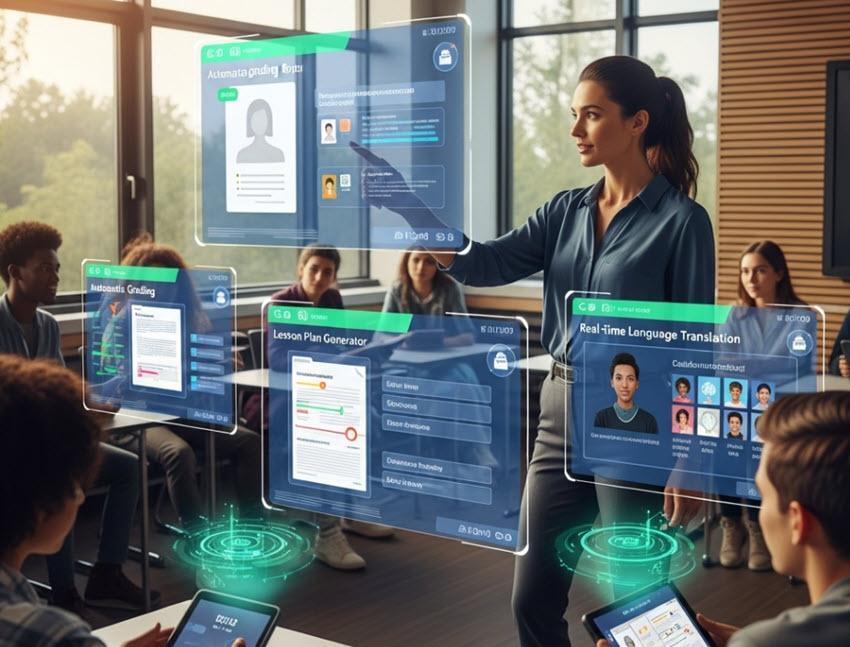
Artificial intelligence is rapidly reshaping teaching practice. Modern AI tools help educators save time on planning and grading, personalize instruction, create engaging learning experiences, support diverse learner needs, and analyze student progress. When integrated thoughtfully and ethically, these tools allow teachers to focus more on pedagogy and student relationships rather than administrative workload.
Why AI Matters in Education Today
AI adoption in classrooms is expanding through both commercial tools and institutional support initiatives. For example, Microsoft’s Elevate program is providing free AI training and premium tools for educators and students to help bridge skills and access gaps.
Educators using AI report outcomes such as:
- Reduced time spent on administrative tasks (grading, planning)
- Higher-quality instructional materials
- Adaptive learning support for students with varied needs
- Real-time student feedback and learning analytics
These benefits allow educators to devote more time to individualized student support.
Key Capabilities of AI Tools for Educators
AI tools for teachers generally fall into these functional categories:
- Lesson Planning & Content Creation – Generate plans, rubrics, slides, assignments.
- Assessment & Grading – Automate grading and provide analytics on student performance.
- Classroom Engagement – Promote interactive learning through quizzes, polls, and discussions.
- Personalized Instruction – Differentiate content based on student levels and learning needs.
- Productivity & Workflow – Streamline schedules, communication, and resource organization.
Tools that excel in these categories not only save time, but also improve teaching effectiveness and student engagement.
Top AI Tools & How They Help Educators
1. ChatGPT and Conversational AI Assistants
ChatGPT (OpenAI)
A versatile generative AI that helps teachers draft lesson plans, quizzes, writing prompts, and classroom activities on demand. It also supports explanations of complex topics in student-friendly language and can assist with communication templates for parents and administrators.
Other Conversational AI (e.g., Claude)
LLMs with extended context support can handle long-form document analysis or support nuanced student feedback, aiding teachers in evaluating essays and long responses.
2. Planning & Content Generation
MagicSchool AI
Designed specifically for teaching workflows, MagicSchool AI offers lesson planning, assessment generation, differentiation tools, and IEP templates, making it a comprehensive AI assistant for classroom planning.
Eduaide.AI
A focused platform for creating syllabi, worksheets, discussion prompts, and educational games, including translation and customization features for diverse classrooms.
Brisk Teaching
A Chrome extension that integrates with tools like Google Classroom and Canvas to generate rubrics, differentiated materials, and instant feedback, without switching systems.
Curipod
Transforms topics into interactive lessons with polls, word clouds, and real-time student engagement features—ideal for hybrid or flipped classrooms.
3. Assessment & Analytics
Quizizz AI
Builds gamified quizzes and flashcards with AI-generated questions, supports auto-grading, and reports on student performance to inform instruction.
Gradescope (Turnitin)
Automates grading across formats, including handwritten work, and provides analytics dashboards to track performance trends.
ScribeSense
AI handwriting recognition and grading that streamlines evaluation of scanned paper assignments and integrates results into digital systems.
4. Classroom Engagement & Differentiation
Diffit
Rewrites texts into multiple reading levels and generates comprehension questions, helping teachers differentiate instruction for students with varied reading abilities.
ClassPoint AI
Adds real-time engagement features like live polls and prompts inside PowerPoint slides, making presentations interactive.
5. Visual & Multimedia Support
Canva AI
Provides template-driven visual content creation—presentations, posters, infographics, and videos—so educators can produce engaging materials quickly.
Whisper by OpenAI
Transforms spoken lectures into transcripts and captions, enhancing accessibility and aiding students who need text representations of class sessions.
6. Research, Note & Workflow Tools
NotebookLM / Google AI (Classroom Integration)
Google’s AI suite for education adds research assistance, analytics, and content generation directly into classroom platforms, including performance dashboards for tracking learners.
Notion AI
Supports organizing teaching assets, class notes, and collaborative planning across shared teacher workspaces.
Categorized AI Tools List for Educators
Below is a comprehensive overview of notable AI tools for teachers, grouped by purpose.
A. Lesson Planning & Instructional Design
ChatGPT (general AI assistant)
MagicSchool AI
Eduaide.AI
Brisk Teaching
Curipod
B. Assessment & Feedback
Quizizz AI
Gradescope
ScribeSense
C. Classroom Engagement & Differentiation
Diffit
ClassPoint AI
Kahoot! (AI quiz enhancements)
D. Visual & Multimedia Tools
Canva AI
Whisper (OpenAI)
Vidnoz AI (video creation)
E. Workflow & Organization
NotebookLM / Google AI Education
Notion AI
Grammarly (writing polish & feedback)
Best Practices for Teachers Using AI
- To maximize value while maintaining academic integrity, educators should:
- Align AI workflows with learning objectives and standards rather than using tools mechanically.
- Validate AI outputs and customize content to classroom context.
- Teach students responsible AI use to support learning, not shortcut it.
- Monitor equity and accessibility to ensure AI benefits diverse learners.
- AI should be integrated as a pedagogical support, not a replacement for teacher expertise.
Conclusion
AI tools are transforming education by reducing administrative load, boosting instructional quality, and enabling personalized support at scale. From lesson creation to grading automation, conversational agents to engagement platforms, today’s AI toolkit gives educators powerful new capabilities—as long as they are used thoughtfully and ethically.
Whether you aim to save time, increase in-class engagement, or tailor learning experiences, the tools outlined above provide a robust foundation for integrating AI meaningfully into teaching practice.